Onset is a Mac screen recorder that edits the video for you. It zooms in where you click, smooths out your cursor and puts your camera in a nice bubble. Unlike a traditional screen recorder, it has its own built-in editor, so you tweak what you want and export the final video right there.
Mac appRuns on your MacNo account, nothing uploaded
Why I built it
Lately I've been helping founders and indie devs with their launch videos, and a lot of them use a traditional screen recorder like OBS or Loom. The video ends up looking like a dry screen share: tiny text, a jumpy cursor, a webcam box stuck in the corner. And if you want it to look good, you have to take the recording into an editing app and do all the zooms, camera moves and smoothing by hand, which could be a full-time editor's job.
There are apps that do this for you, but the ones I tried were glitchy and way too expensive for something I use a few times a month. So I built my own.
What it does
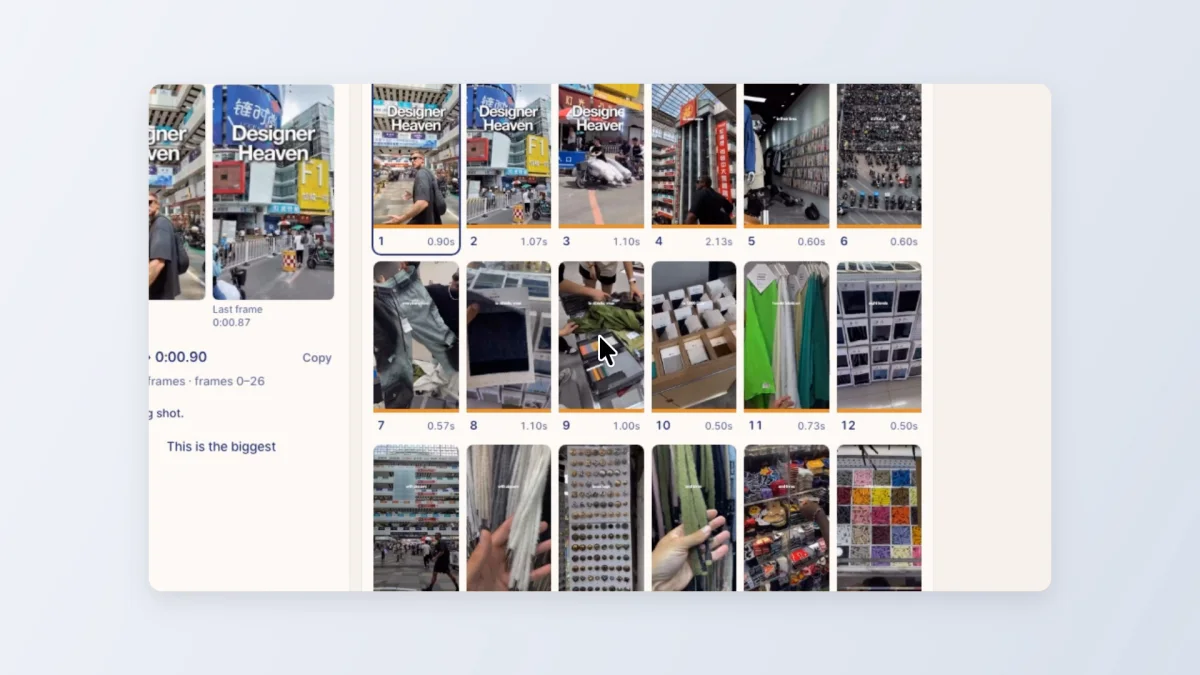
Zooms where you click
It zooms in and stops moving before you click, so the click never happens mid-swoop. The cursor glides around but still lands right where you clicked.
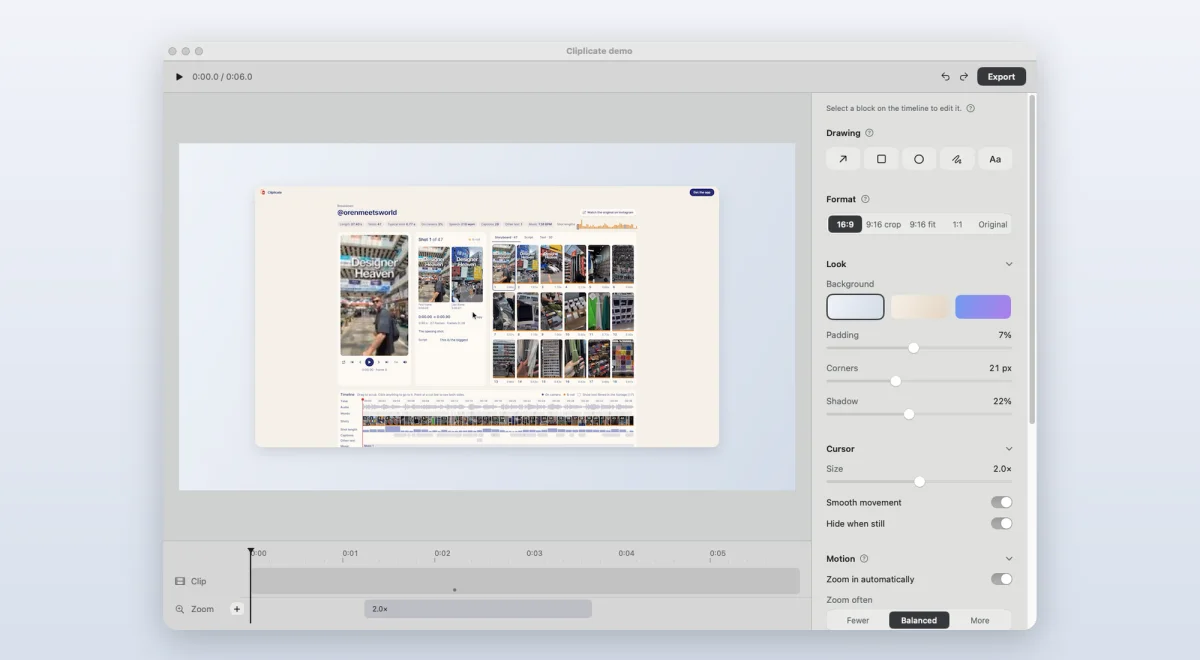
Edit and export in one place
Trim, move the zooms, change the look, then export the final video. No moving it into another app.
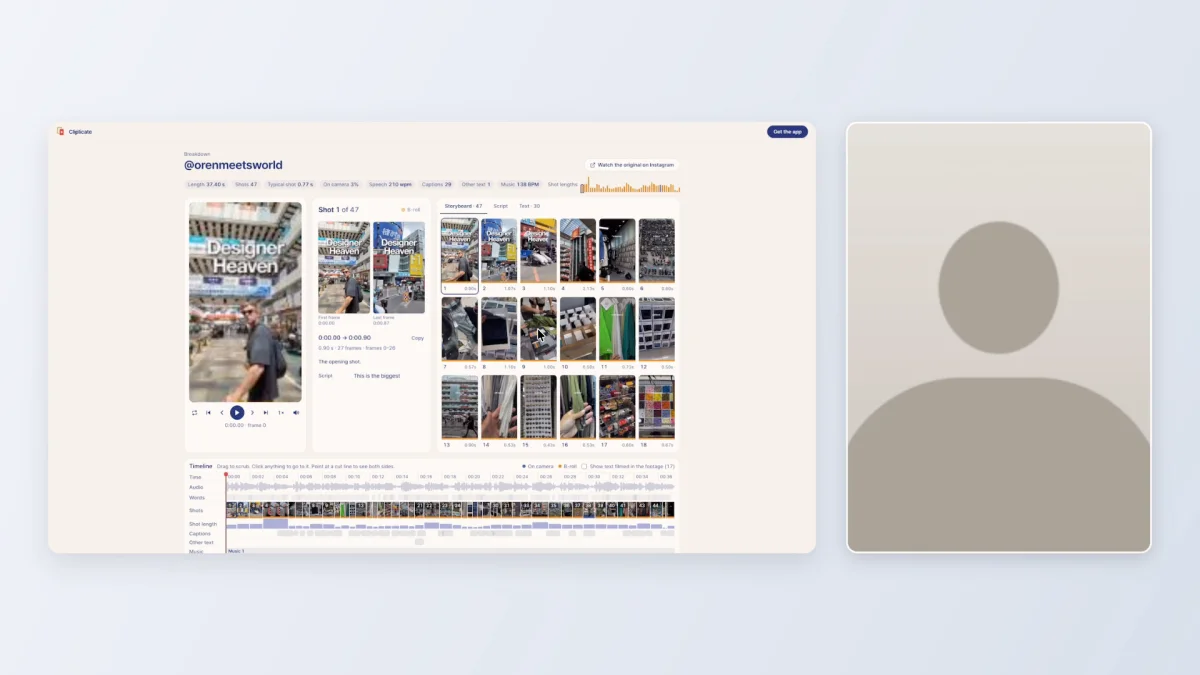
Your camera, any layout
Your camera records with the screen. Switch between a bubble, full screen or side by side, and it animates between them.
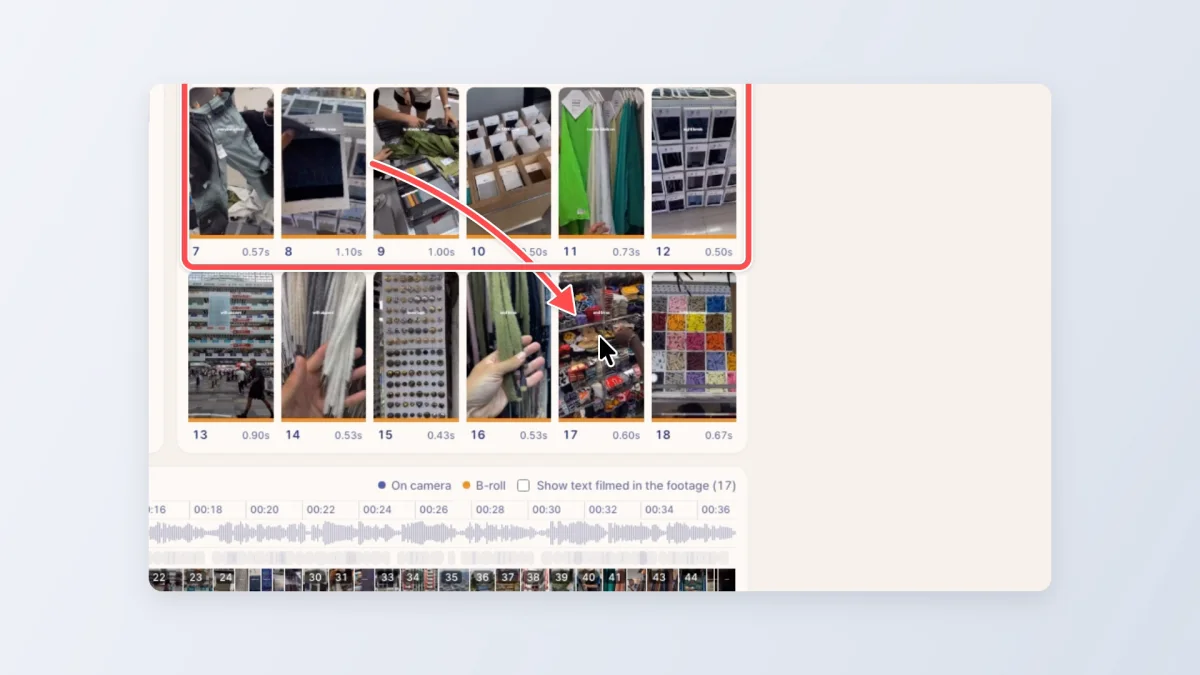
Blur, arrows and 9:16
Blur anything private, draw arrows and boxes on top, and get 9:16 or 1:1 versions that follow your clicks.
Onset isn't public yet. I use it for client work and my own marketing stuff, including the Cliplicate demo. If you want to try it, email me.